Audio Action Library
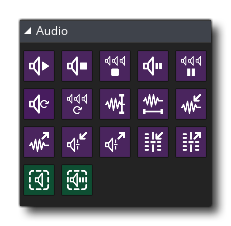 GameMaker has a complete audio engine that is based on the *.ogg,
*.mp3 and *.wav sound formats. Sounds of these types added to the IDE can then be used in your game using the basic audio actions shown below. For things more complex than basic sound effects or playing a single
piece of music you can refer to the advanced audio functions dedicated to streaming audio, positioning audio - to give 3D sound - and grouping audio.
GameMaker has a complete audio engine that is based on the *.ogg,
*.mp3 and *.wav sound formats. Sounds of these types added to the IDE can then be used in your game using the basic audio actions shown below. For things more complex than basic sound effects or playing a single
piece of music you can refer to the advanced audio functions dedicated to streaming audio, positioning audio - to give 3D sound - and grouping audio.
IMPORTANT! When using audio on the HTML5 target, you should be aware that not all browsers support Web Audio and so may not play any sound for your project when run. You can get a general idea of Web Audio support from the following
link: Can I Use Web Audio?.
The Audio library has the following actions:


