 Set Text Alignment Set Text Alignment
This action will set the font alignment for all subsequent draw text actions. You can set the horizontal alignment to be the left, center or right, and the vertical alignment to be top, middle or bottom and the text will be aligned relative to the x/y position of the draw action, as shown in the images below:
 |
Text is horizontally aligned to the left |
 |
Text is horizontally aligned to the center |
 |
Text is horizontally aligned to the right |
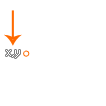 |
Text is vertically aligned to the top |
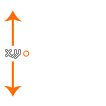 |
Text is vertically aligned to the middle |
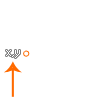 |
Text is vertically aligned to the bottom |
Note that this will set the alignment to use for all subsequent draw text calls, and so can be called, for example, once at the beginning of the game - in any event, not just the Draw Event - and all draw text actions will use the set alignment. However if you require multiple draw text actions to align in different ways, then you will need to call this action before every draw text action you wish to align differently.
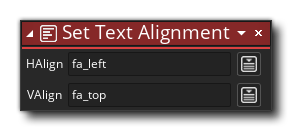
| Argument | Description |
|---|---|
| H.Align | The horizontal alignment value (Left, Center, Right) |
| V.Align | The vertical alignment value (Top, Middle, Bottom) |
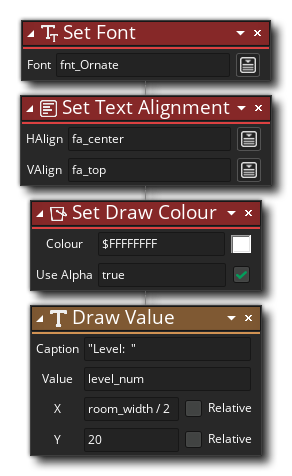 The above action block code sets the font, the draw colour, and the alignment for some text
that is drawn.
The above action block code sets the font, the draw colour, and the alignment for some text
that is drawn.