Creating A Publisher Account
Before you can use the GameMaker Marketplace to get assets, you must have made a GameMaker Account, and if you wish to share asset packages you will also need to have registered for a Marketplace Publisher account.
The steps you need to follow to register as a publisher are as follows:
- Sign in to your GameMaker Account.
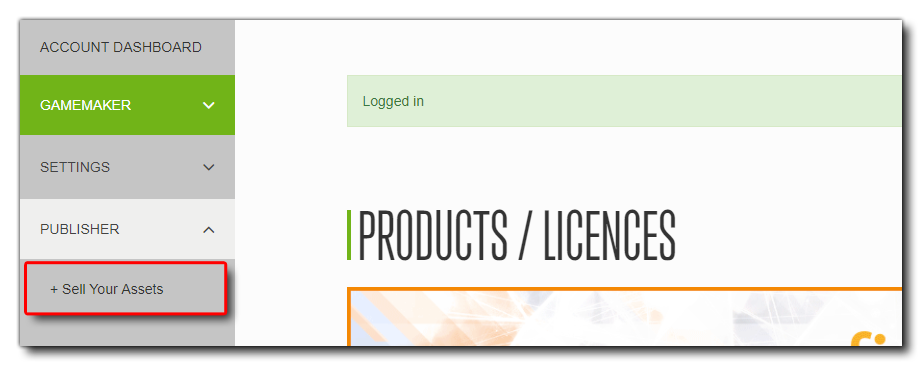
- Once you are in your account dashboard, visit the Publisher Registration page. This can be found from your account dashboard Publisher section, where you need to click the section Sell Your Assets:
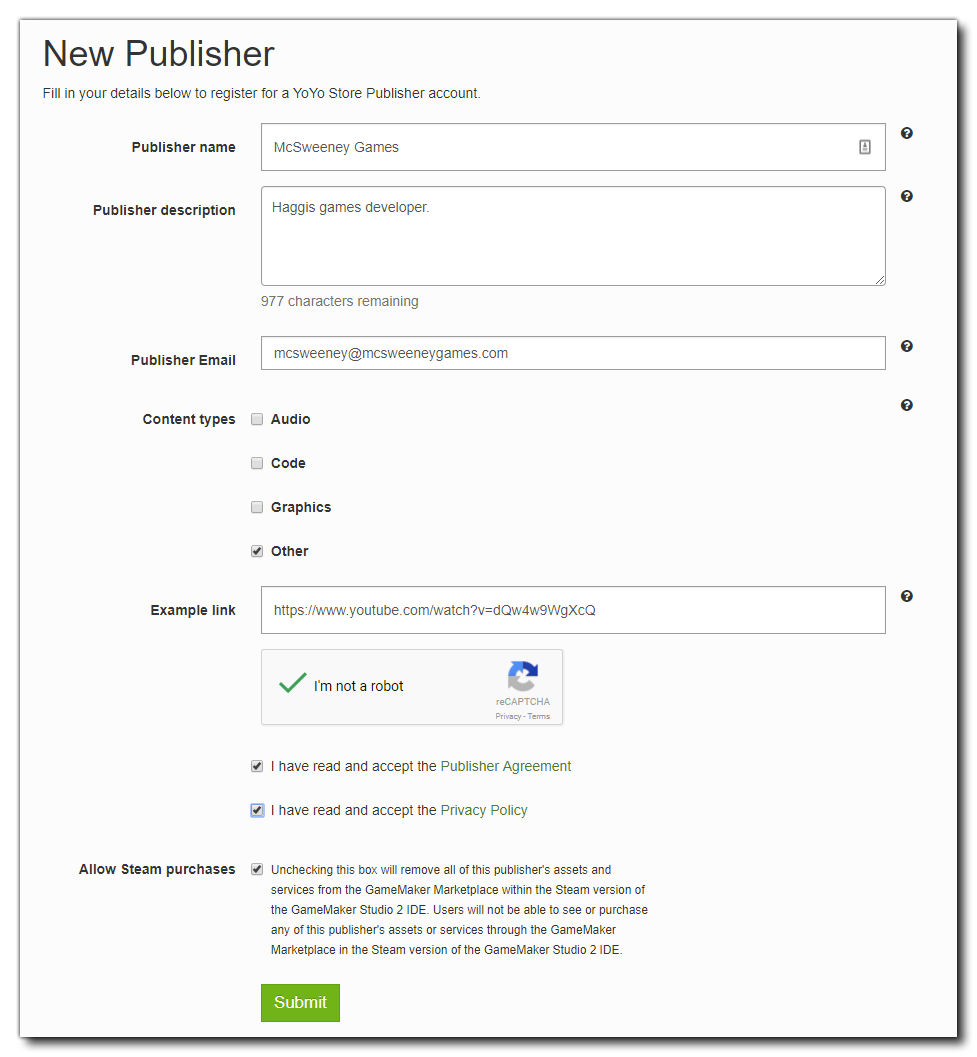
- On the next page, click the Register button and then enter some basic information about your Publisher identity, like your publisher name, email and types of asset that you are planning on uploading.
You must read and accept the Marketplace Publisher Agreement before you can finalise your publisher account registration. When you do, your submission will be complete, but note that all registrations have to be verified by YoYo Games, so your new Publisher will not be available to you straight away. When your registration is verified you will be notified via the email address you provided (please note that we operate standard UK business hours, so weekend applications, etc., will see a delay in your approval).
 Once you submit the registration you will be taken to your Publisher Account, where you can see the details already given and edit them, as well as upload an avatar:
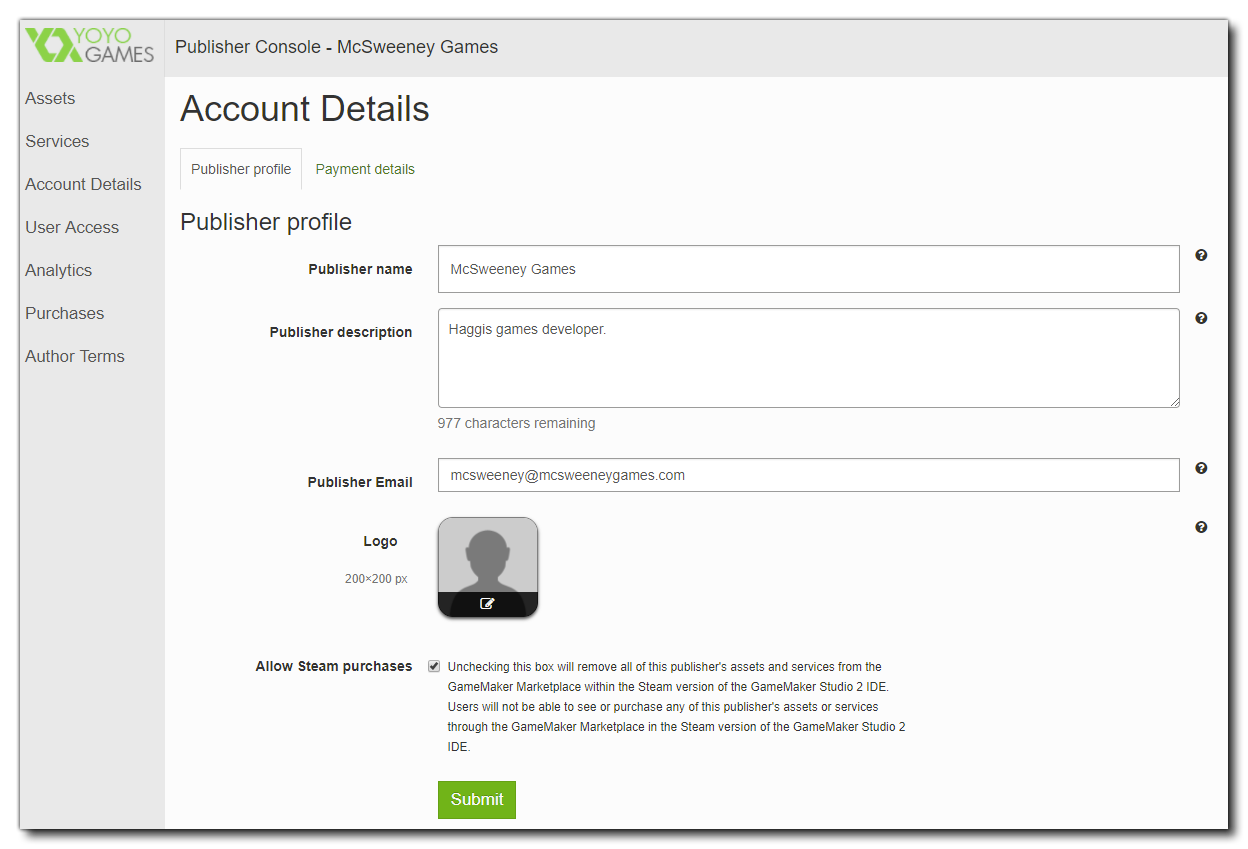 Once your registration has been verified, you can then use the rest of the options from the Publisher Console. This is the "home" of all your asset publishing operations, and you can see a menu of items along the left of the page. Each one will show you different details about your publishing activities:
- Assets: This page gives you a quick overview of your assets (sprites, audio, projects, etc.), and lets you view and edit their details, review your sales, download statistics, and also publish a new version of your asset. You can also add new assets that you have created for publishing. For more information on publishing assets, please see the page: Listing An Asset.
- Services: Here you can see the services that you offer to other Marketplace users, as well as edit their details and update or add new ones. For more information on Services, see the page: Listing A Service.
- Account Details: Update your Publisher’s public profile on the store and add payment details through Account Details (see above for further information on setting up a payment account).
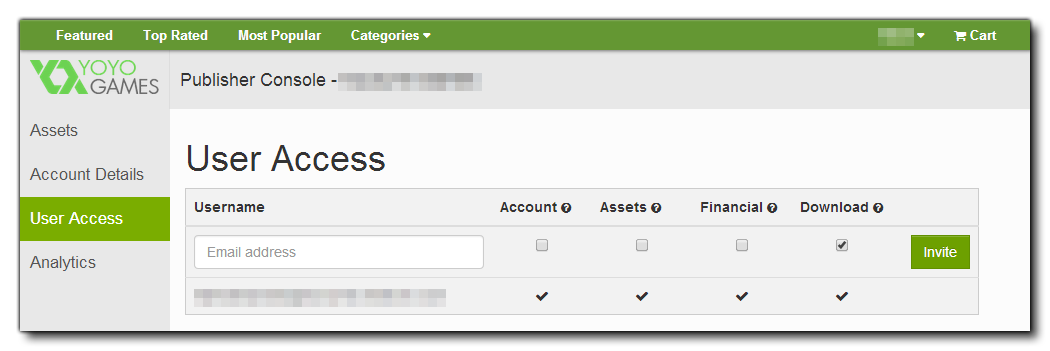
- User Access: If you are working within a team you can add multiple users to your Publisher Account and set which parts of the Publisher Console they can access. The account that registers the Publisher account is the owner, with full access to all parts of the Developer Console. The owner can then add user accounts and manage which parts of the Developer Console they have access to. Simply give the email address of the person you wish to add, then check the parts of the publisher identity that you require them to have access to.
- Analytics: The developer console gives you access to daily sales and download reports and graphs allowing you to track your assets performance. You can filter your reports by several dimensions including Paid or Free, Category, Country and Date.
- Purchases: Here you can see a list of all the purchases that have been made of your assets (free purchases will be shown, but with a price of $0.00)
- Author Terms: Here are the current Author Terms and Conditions for publishing to the Marketplace. You must accept these before you can publish anything, even free assets.
Note that once you have set up and verified one publisher account, you can then go back to your GameMaker Account dashboard and create further accounts if required. In this way you could create two separate accounts with one sharing art assets and the other sharing code assets (for example).
Before going any further and submitting an asset or a service to the Marketplace, please read the guidelines outlined on the following page: