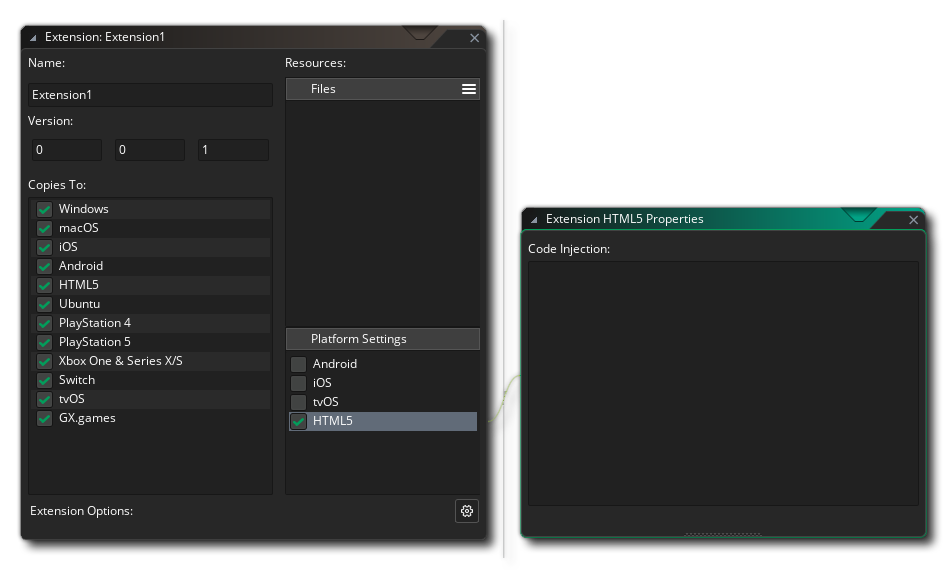
You can inject custom HTML into your game's index.html file through extensions. This is done by clicking on "HTML5" under "Platform Settings" in an extension's editor:
In the "Code Injection" window, you can add custom HTML for your index.html file. Such HTML is inserted into different parts of the index.html file by using the following tags:
| Tag | Description |
|---|---|
| GM_HTML5_PreHead | HTML is inserted after the <head> tag |
| GM_HTML5_PostHead | HTML is inserted after the </head> tag |
| GM_HTML5_Meta | Inside <head>, after <meta> tags |
| GM_HTML5_PreStyle | HTML is inserted inside <head> </head>, but before <style> |
| GM_HTML5_PostStyle | HTML is inserted inside <head> </head>, but after </style> |
| GM_HTML5_Style | Within <style> </style> tags; must be CSS code |
| GM_HTML5_PreBody | HTML is inserted before the <body> tag |
| GM_HTML5_PostBody | HTML is inserted after the </body> tag |
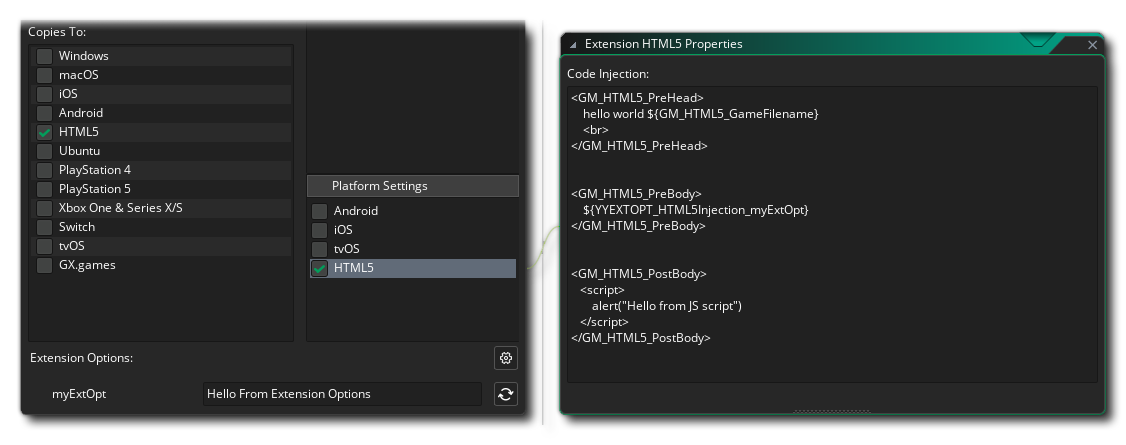
Here is an example of HTML code injected into some of the above tags:
Multiple extensions may inject code into the same tag, however the order of their insertions into the final HTML file cannot be guaranteed.
Within your injected HTML5 code, you may use variables that GameMaker provides. You can see such variables in the example above, wrapped inside ${ }.
You can also read your custom extension options by using the ${YYEXTOPT_HTML5Injection_OPTIONNAME} syntax.
The following built-in variables can be used with the ${VARIABLE} syntax:
| Variable | Description |
|---|---|
| GM_HTML5_BrowserTitle | The title of the browser window |
| GM_HTML5_BackgroundColour | The background colour of the page |
| GM_HTML5_GameWidth | The width of the game's canvas (in pixels) |
| GM_HTML5_GameHeight | The height of the game's canvas (in pixels) |
| GM_HTML5_GameFolder | The path to the game's folder (containing the index.html file) |
| GM_HTML5_GameFilename | The name of the HTML file |
| GM_HTML5_CacheBust | A random value used for cache-busting; can be added as a URL parameter in custom links to prevent the browser from getting the cached version of a file |
You can get the template index.html file from the runtime directory, under runtime-[version]/html5/index.html. Here you can view the template file to understand where the tags are inserted. You can make a modified copy and use it for your game instead of the default file, by adding it as an Included File and selecting it in the HTML5 Game Options.
The template HTML file will contain some tags starting with GM_HTML5_Inject*. These are used by GameMaker to inject values from the HTML5 Game Options, and as such can't be used for inserting custom code.