A5 - Applications of Asymmetric Cryptography
In this assignment, we'll look at a number of ways asymmetric cryptography is used.
HTTPS
HTTP is the protocol (basically a special language or set of commands) that web browsers and web servers use to communicate with each other. It stands for Hypertext Transfer Protocol, and is completely insecure.
To solve the security issue, a new protocol was developed when the web was still young called HTTPS, standing for Hypertext Transfer Protocol Secure. It ensures data between web browser and server is completely encrypted and cannot be intercepted. While the protocol has evolved over the years to use more complex and secure algorithms, it originally worked almost identically to what we saw in the previous assignment.
The process by which communication originally happened via HTTPS was:
- Server sends the browser its public key
- Browser generates a symmetric key, encypts it using the server's public key, and sends it to the server
- Server decrypts the symmetric key using its private key
- Data exchange between client and server continues using the symmetric key
Passkeys
Passkeys, while not yet widely adopted, are considered to be a stronger alternative to passwords. Here's how they works:
- When the user registers an account on a website, the user's device generates a public/private key pair for the website. Instead of creating a password for the website, the user's device just sends the website the public key.
- The website stores the user's public key.
- When the user attempts to log into the website, the website creates a challenge: it encrypts a secret message with the user's public key, and sees if the user has the corresponding private key to decrypt the message.
- If the user successfully sends back the correct message, it is granted access.
As added security, the user's device may request some additional personal information, such as a fingerprint, prior to decrypting the challenge and sending the result back to the website.
For more information, including some of the benefits of passkeys over passwords, see this site.
Digital Signatures
A digital signature is a method of ensuring that a file has been creating by a certain person, and that the file has not been modified since the signature was created. It makes use of the fact that public/private keys can be used in reverse:
If you encrypt a message using the private key, it can be decrypted using the public key. Importantly, the public key will only decrypt messages encrypted by the corresponding private key.
A file can be digitally signed as follows:
- The sender of the file generates the hash of the file.
- The hash of the file is encrypted with sender's private key. The encypted hash is known as the file's signature.
- The file is transferred to the receiver, along with the signature.
- The receiver of the file decrypts the signature using the sender's public key, revealing the file's hash (critically, this is only possible if the hash was originally encrypted with the sender's private key).
- The receiver generates the hash for the file it has received, and sees if it matches the decrypted signature.
If the hash of the file matches the hash of the decrypted signature, the receiver now knows:
- The file hasn't been changed since the sender signed it, since it produces the same hash
- The signature wasn't tampered with, since it could only have been encrypted with the sender's private key (since the corresponding public key successfully decrypted it).
Your Task
Processes such as those described above can often be nicely illustrated using what we call sequence diagrams. The sequence diagram will contain vertical lines representing the two endpoints, and arrows between the endpoints illustrating the flow of information.
Here is an example of one your are unlikely to understand:
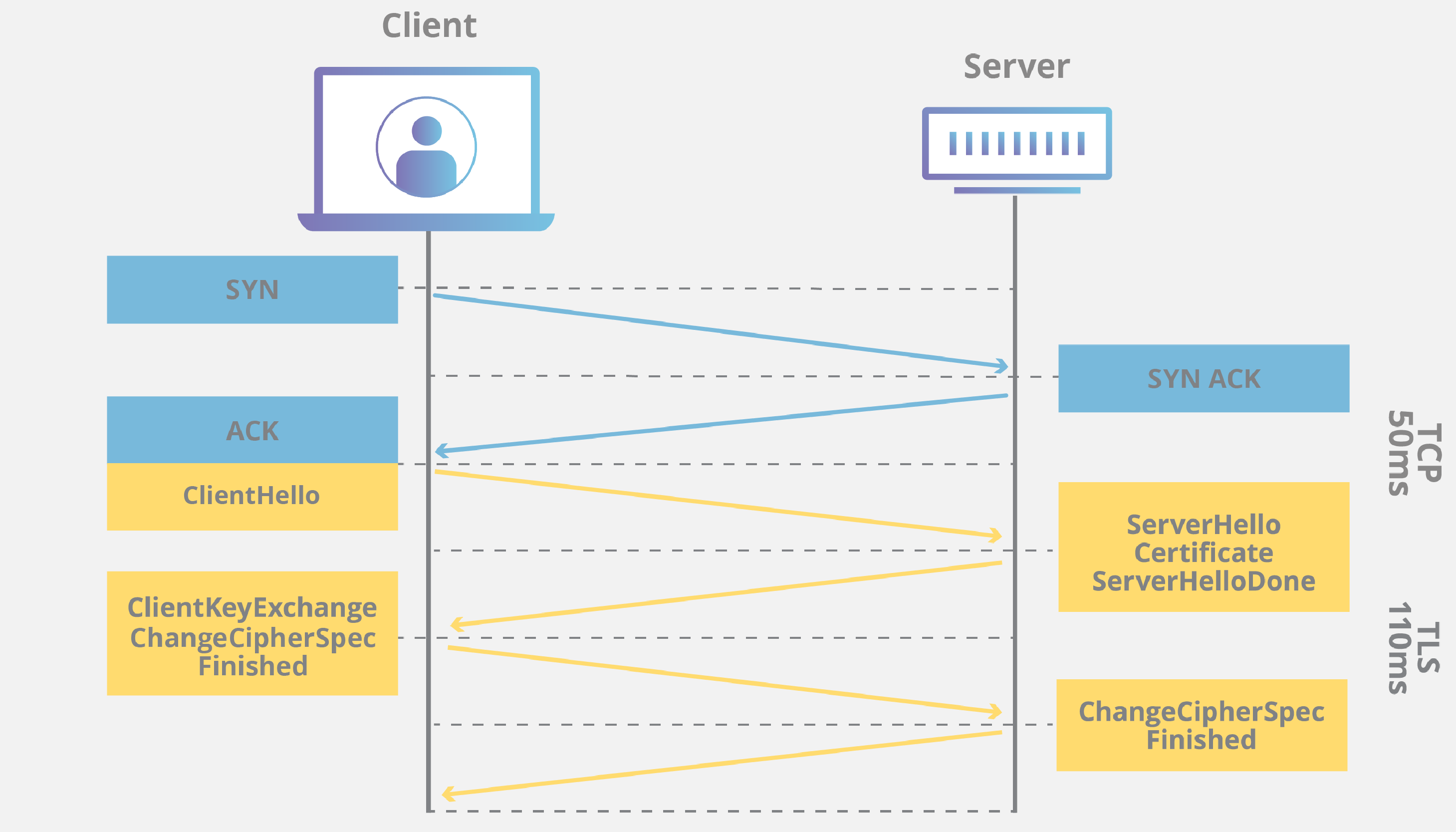
Using the draw.io program that you were introduced to earlier in the course, create sequence diagrams for HTTPS and Passkeys as described above. You can use some discretion as to the exact layout of your diagrams.
You might be able to search for sequence diagrams of passkeys online to help you get started, however make sure your own sequence diagram fully matches the process as outlined in this assignment. Most the ones you find online will be overly complex.
As an extension, also create a sequence diagram for digital signatures.