System
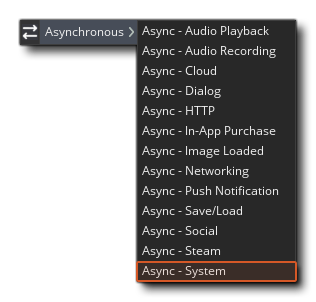 This event can only be triggered by a callback from a system level event (such as the detection of a gamepad or the automatic signing in to XBox Live) and it will return a DS Map stored in the variable async_load, containing different key/value pairs depending on the system level event that triggered the call-back. These events are:
Game Pads
When this event is triggered for a gamepad being connected or disconnected it will return one of the following key/value pairs in the async_load map:
- "event_type" - the type of system event received, which will be one of the following strings:
- "gamepad discovered" - happens when the system reports a new gamepad has been connected
- "gamepad lost" - happens when the system has lost connection to a gamepad
- "pad_index" - the index of the pad that has been added or removed
This event now permits you to move all your gamepad checking logic from the Step Event or an Alarm event into the System Event and only run it when it's actually required.
IMPORTANT! This event will NOT be triggered unless you have at least one gamepad_* function or GML Visual action in your game code. The runner will only initialise the gamepad sub-system when the functions are used in the project, so if they aren't present, adding/removing gamepads will not trigger the System Event.
Virtual Keyboards
When this event is triggered for a virtual keyboard being opened or closed it will return the following key/value pairs in the async_load map:
- "event_type" - the type of system event received, which will be "virtual keyboard status" for virtual keyboards.
- "screen_height" - the height of the virtual keyboard (in pixels). This will be 0 if the keyboard is invisible.
- "keyboard_status" - the current status of the keyboard, returned as one of the following strings:
- "hiding"
- "hidden"
- "showing"
- "visible"
See here for more information on the virtual keyboard.
Audio System Status
This event type is specifically for use when working with the HTML5 target, as it will be triggered every time the Web Audio context status changes. This means that if you have, for example, a piece of looping background music, then you can pause it or stop and restart it, based on this event triggering. This can be checked by looking for the following key/value pair in the async_load map:
- "event_type" - the type of system event received, which will be the string "audio_system_status" if the audio system has initialised or the context has changed.
If this event type is triggered, then there will be an additional key in the async_load map:
- "status" - The status of the audio system, which will be one of the following two strings
- "available" - The audio system is initialised and available to play sounds
- "unavailable" - The audio system is not initialised, or the context is not currently running, and so can't play sounds (all sound playing functions will return -1)
For more information on the specific functions available for Audio, please see here.
NOTE: While this event is designed for use with the HTML5 target, it will also be triggered on all other platforms, but on everything (except HTML5) it will only be triggered once on Game Start when the audio engine is first initialised.